Home / Passport photo requirements
Passport photo requirements
Unacceptable photos are the top reason U.S. passport applications get held. These are the rules that matter, in plain language, plus a checker that does not edit the picture.
Start with a photo
Drop a photo here, or use the buttons.
JPEG or PNG. The file is read in this browser and is not uploaded.
Live view is mirrored on a front camera. The photo you keep is not.
Drag to move the crop. Arrow keys nudge. Plus and minus zoom.
Compliance check
PassOkay crops and checks. It does not replace the background, apply filters, or retouch the face.
These checks are estimates. They are not an acceptance decision, and PassOkay is not a government site. Head height is guessed from the chin and forehead, so nudge the crop if the guides miss the hair.
Size: print the photo at 2 × 2 inches. The head, chin to the top of the head, is 1 to 1⅜ inches. Hair can leave the frame. The whole head cannot. Eyes stay open. As of the March 24, 2026 State page, a closed-mouth smile is allowed. Teeth are not.
Background: white or off-white, with no texture, lines, or shadows. Stand back from the wall. If the wall is the wrong color, hang a sheet. Do not remove the background in an app. State rejects that, including photos that only look acceptable because software rebuilt them.
Glasses come off, including glasses pushed up on your head. Hats come off unless they are daily religious or medical wear, and even then the full face has to show, with no pattern and no shadow. Headphones and uniforms are out. Jewelry is fine if it does not hide the face.
Babies can lie on a white sheet. Another person cannot appear. Hands cannot cover the face. A baby’s eyes do not have to be fully open. Older children need open eyes and a neutral expression. The photo is from the last 6 months.
Size and file
| Size | 2 × 2 in (51 × 51 mm) |
|---|---|
| Pixels | 1200 × 1200 px JPEG (600 DPI). 600 × 600 also falls in the usual digital range. |
| Head | 1–1⅜ in (25–35 mm) from chin to top of head, about 49–69% of the frame |
| Background | Plain white or off-white, no shadows or texture |
| File | Color JPEG. Paper applications use a print; online renewal has its own file rules. |
| How recent | Taken in the last 6 months |
| Glasses | No, unless you have a signed medical note |
How to do it
- Read the rule you are likely to miss. Most home photos fail on shadows, a busy wall, glasses, or a head that is too close to the camera.
- Take a new photo. Front light, white wall, camera at eye level, several feet back. No filters in the camera app.
- Check it before you print. Use the tool on this page. Fix the setup and shoot again if a check warns. Do not retouch the file.
Questions
Can I wear glasses in a passport photo?
Not for a U.S. passport, unless a doctor signs a note saying you cannot remove them. Take them off your face and off the top of your head.
What background color is required?
White or off-white, plain, with no shadows. A blue wall fails. So does a white wall with a strong shadow behind the head.
Are passport photo examples official?
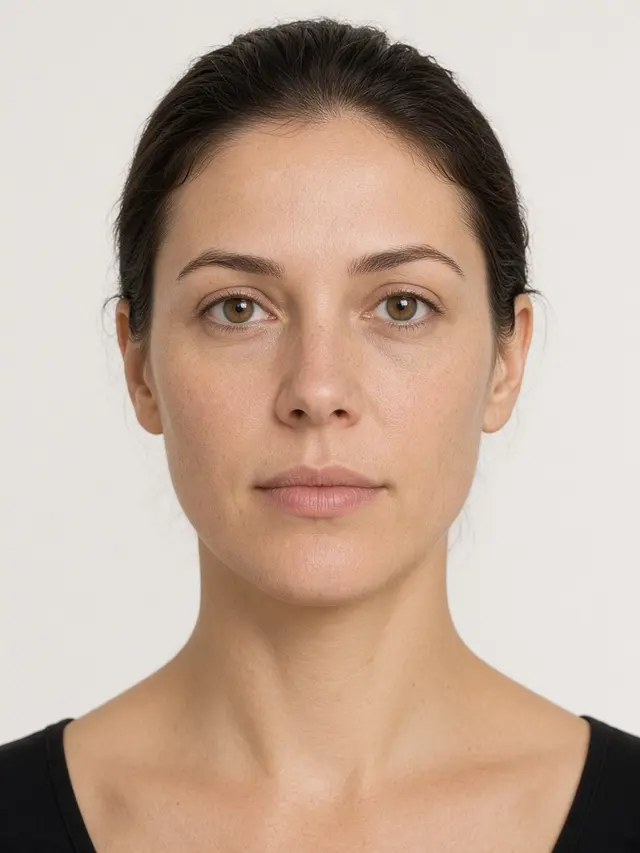
The State Department publishes acceptable and unacceptable examples on its photo page. The sample on this site is only for trying the checker. It is not a government example and not a real applicant.
How recent does the photo have to be?
Taken in the last 6 months, and it has to look like you now. A large change in your face means a new photo. Normal aging, a beard, or hair dye usually does not.
Specs last checked . Checked against the State Department passport photo page.